What are API Keys and why do I need them?
To generate a new API Key
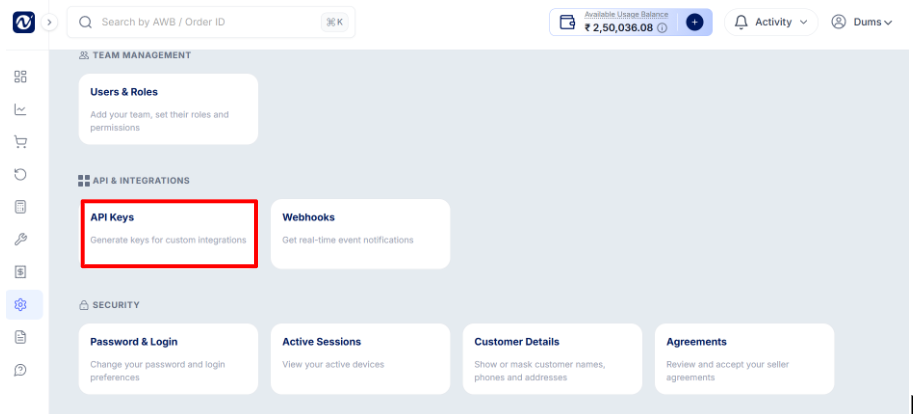
Go to Settings → API Keys → Generate API Key
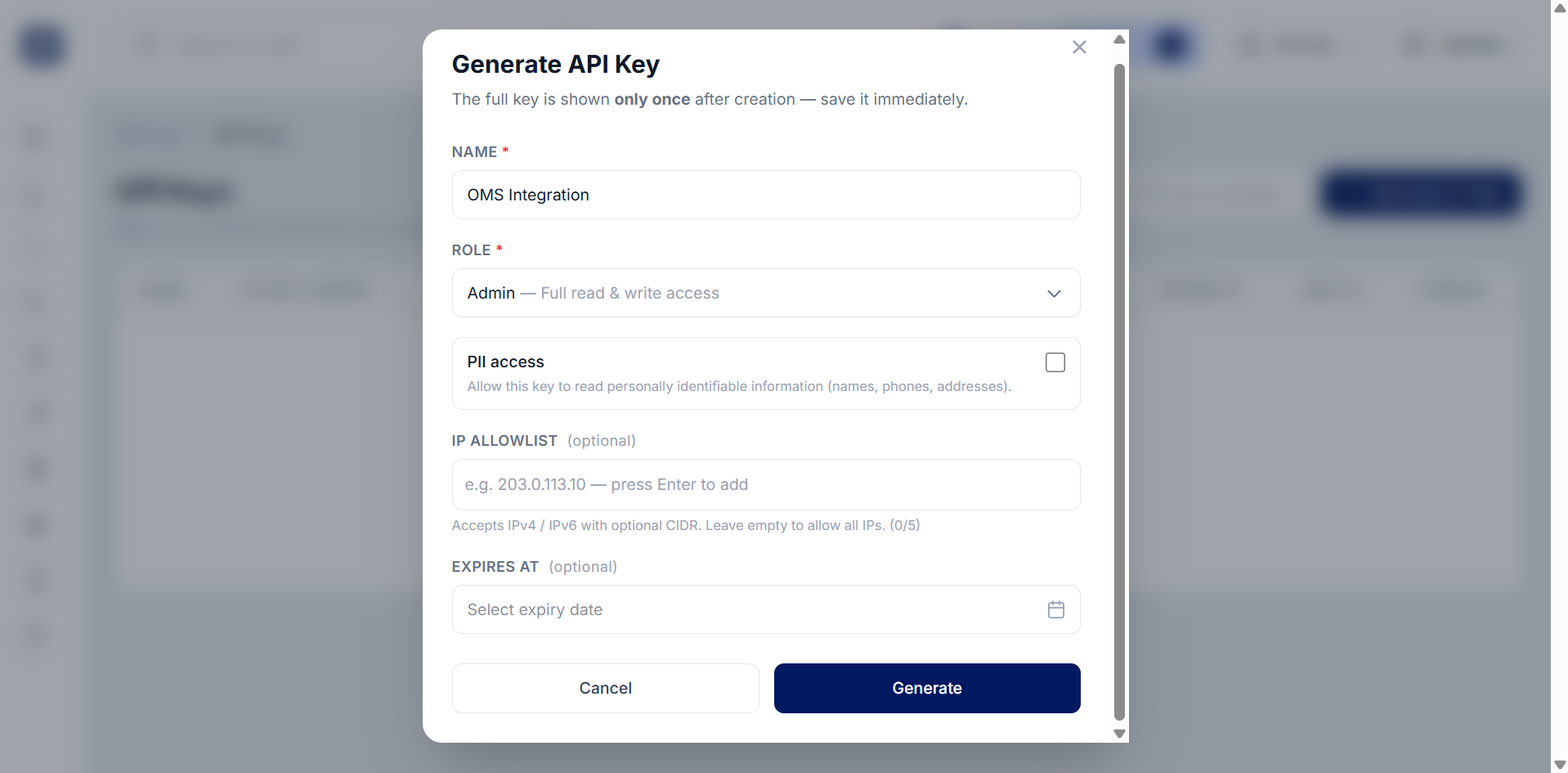
Enter a name.
Select the required role and permissions.
Configure optional settings such as PII Access, IP Allowlisting, and Expiry Date.
Create the key.
Note: The full API Key is displayed only once for security reasons, so make sure to copy and store it securely when it is generated.
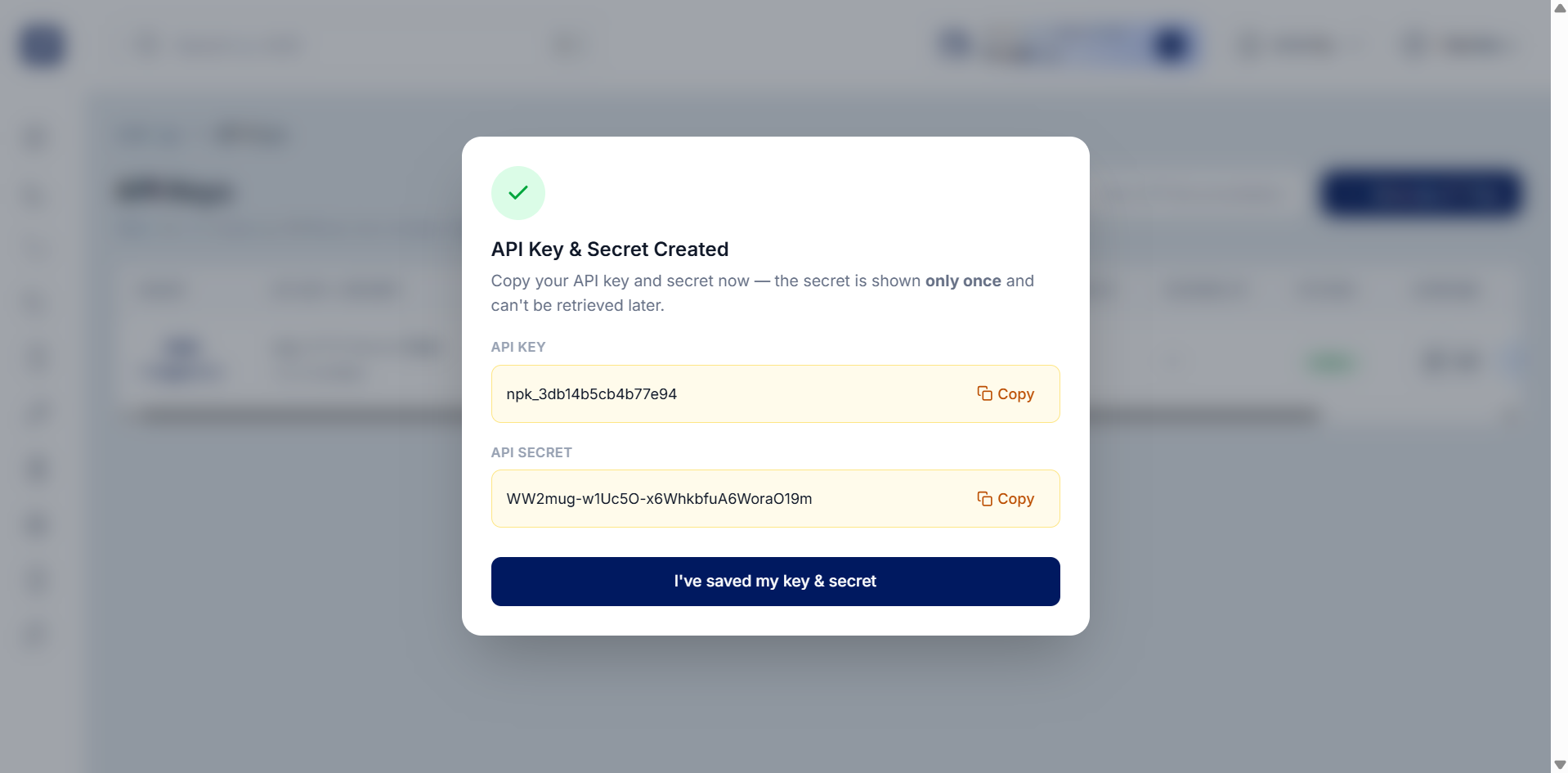
IP Allowlisting restricts API access to specific IP addresses. If you leave the IP Allowlist blank, the API Key can be used from any IP address. If an API Key expires, it will stop working and a new key must be generated or activated.
Was this article helpful?
That’s Great!
Thank you for your feedback
Sorry! We couldn't be helpful
Thank you for your feedback
Feedback sent
We appreciate your effort and will try to fix the article