How to add a warehouse?
Log in to your NimbusPost account.
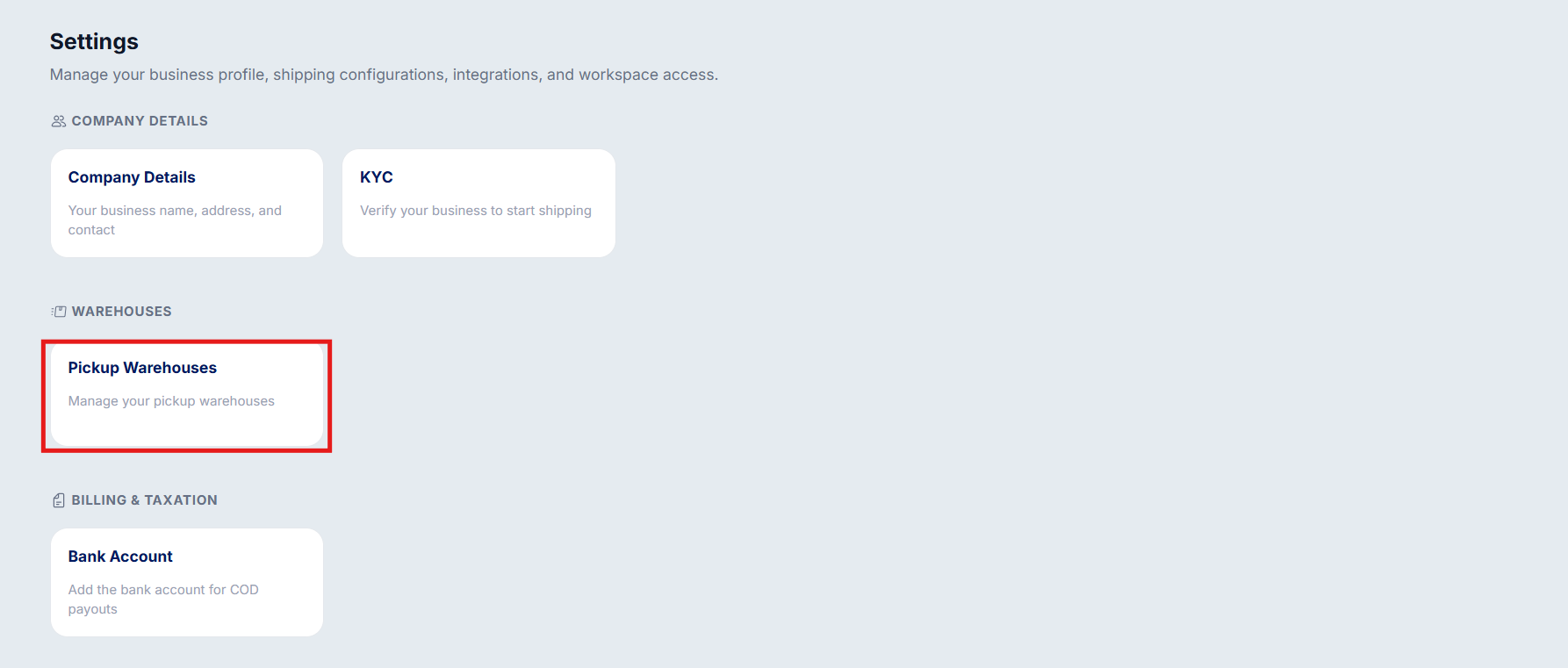
Go to Settings.
Select Pickup Warehouses.
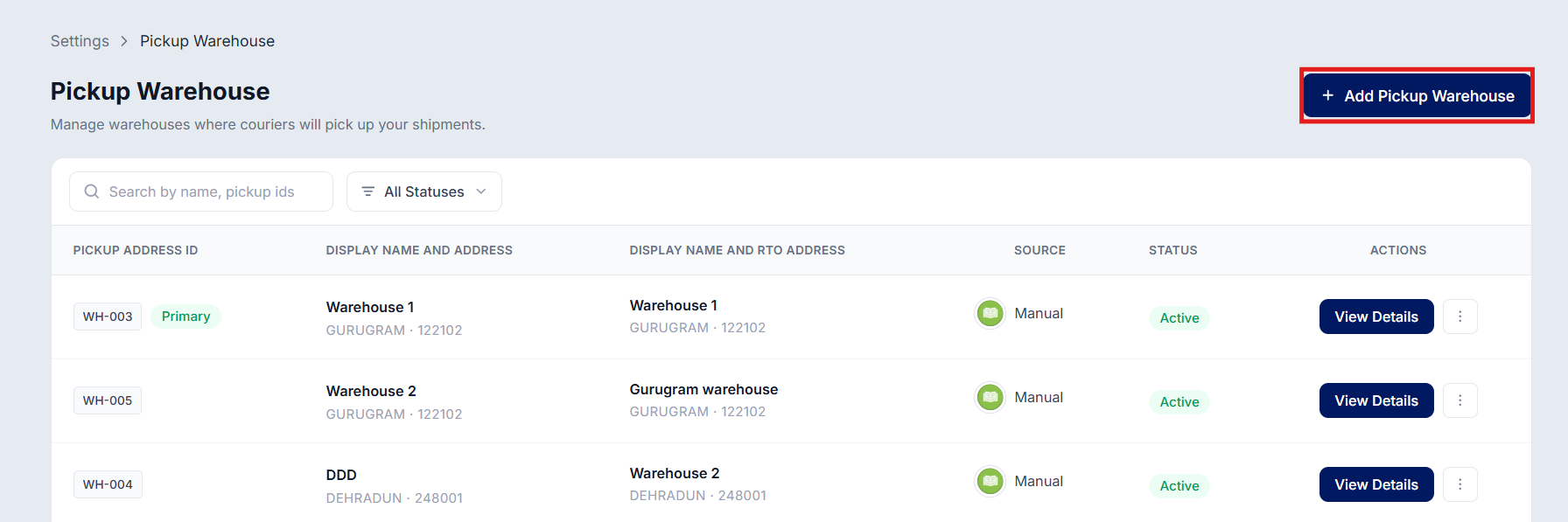
Click Add Warehouse.
Enter the warehouse details, including the address and contact information and
verify your phone number using the OTP sent to you.
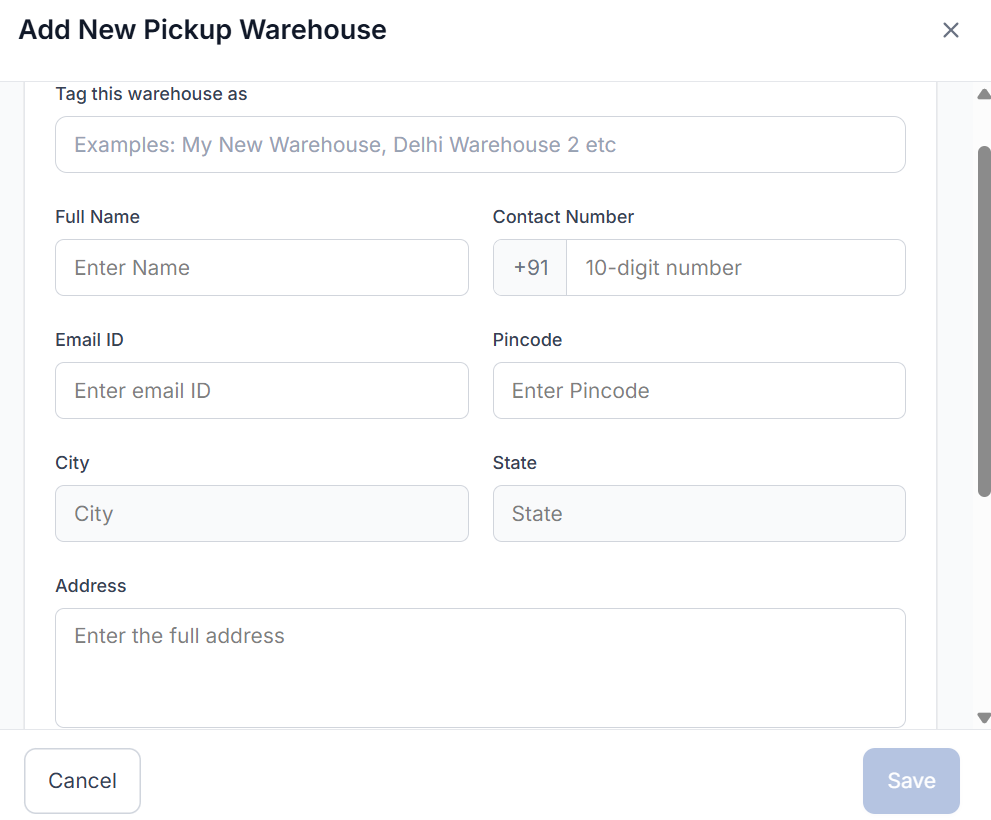
Save the details to create the warehouse.
You can add multiple warehouses to manage shipments from different locations and streamline your fulfillment operations.
RTO Warehouse Setup
You can use the same warehouse as your RTO (Return to Origin) warehouse.
Alternatively, you can assign a different warehouse to receive returned shipments.
Note: Different RTO addresses are not supported in Amazon Transportation Services and Shadowfax. Please keep this in mind while assigning shipments.
Was this article helpful?
That’s Great!
Thank you for your feedback
Sorry! We couldn't be helpful
Thank you for your feedback
Feedback sent
We appreciate your effort and will try to fix the article